projects / Case study
Point of Sales System
Team project · Application features, Cloud Architecture, and DevOps
A team-built SME platform for transactions, inventory, members, and business reporting, deployed to a highly available AWS architecture.
Laravel / PHP · Docker · Git · AWS ECS / Fargate · ALB · CloudWatch · RDS · GitHub Actions
Read case study as Markdown ↗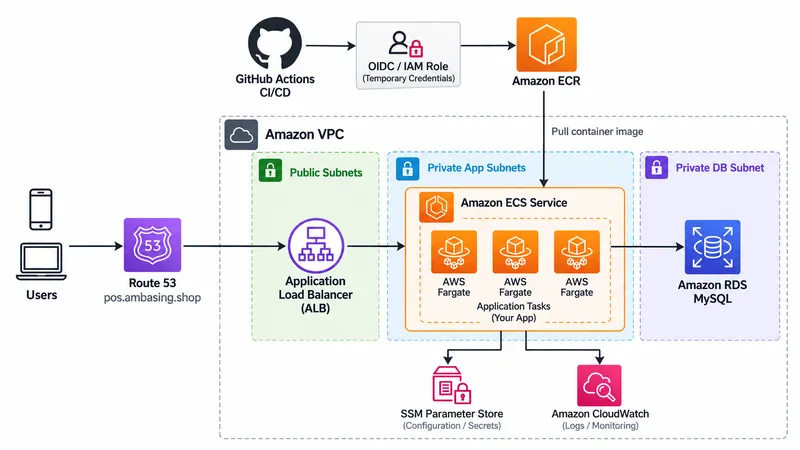
Overview
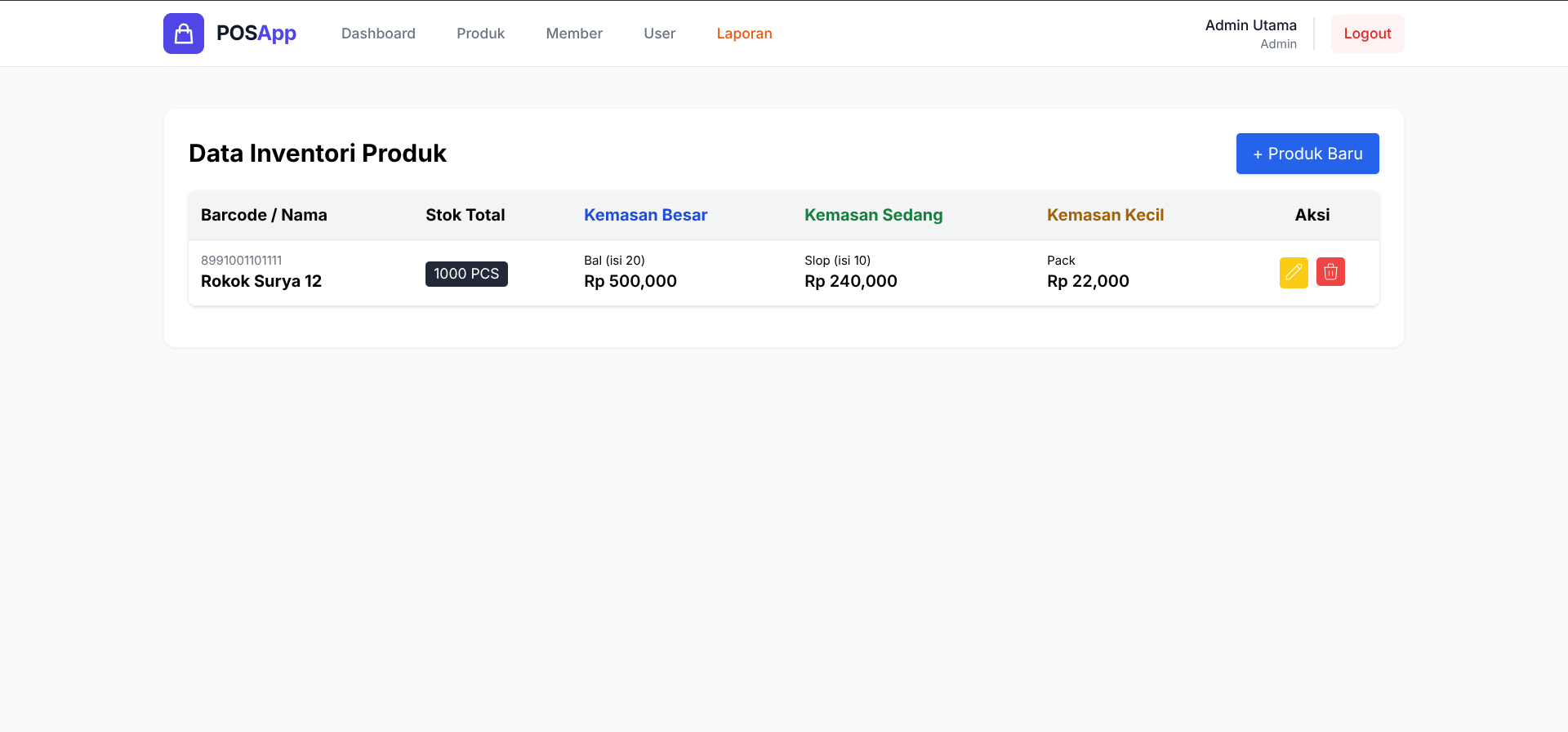
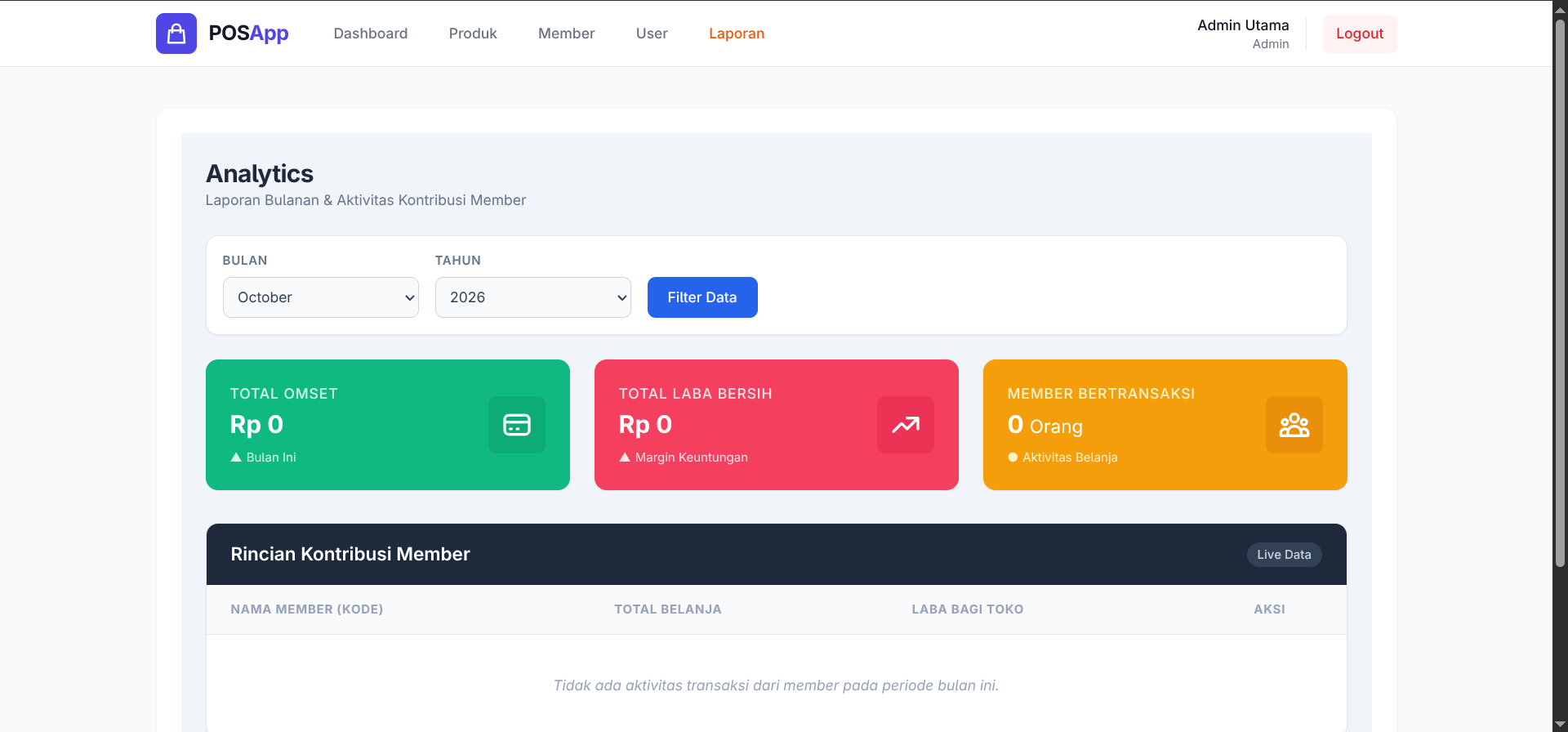
Our Software Engineering final-project team developed a web-based POS system designed to handle sales transactions, inventory management, member data, and business reporting for SMEs.
My Contribution
I implemented core backend functionality including transaction processing, stock updates, transaction history, sales reports, and customer profitability metrics. Beyond application development, I led the cloud infrastructure strategy. I collaborated with the team using Git and Docker, engineered an automated CI/CD pipeline using GitHub Actions and Amazon ECR, and deployed the application to AWS ECS/Fargate.
To demonstrate high availability for our final presentation, I configured an Application Load Balancer (ALB) to distribute traffic across multiple Fargate containers, implementing a live “chaos engineering” demonstration to showcase fault tolerance.
Architecture
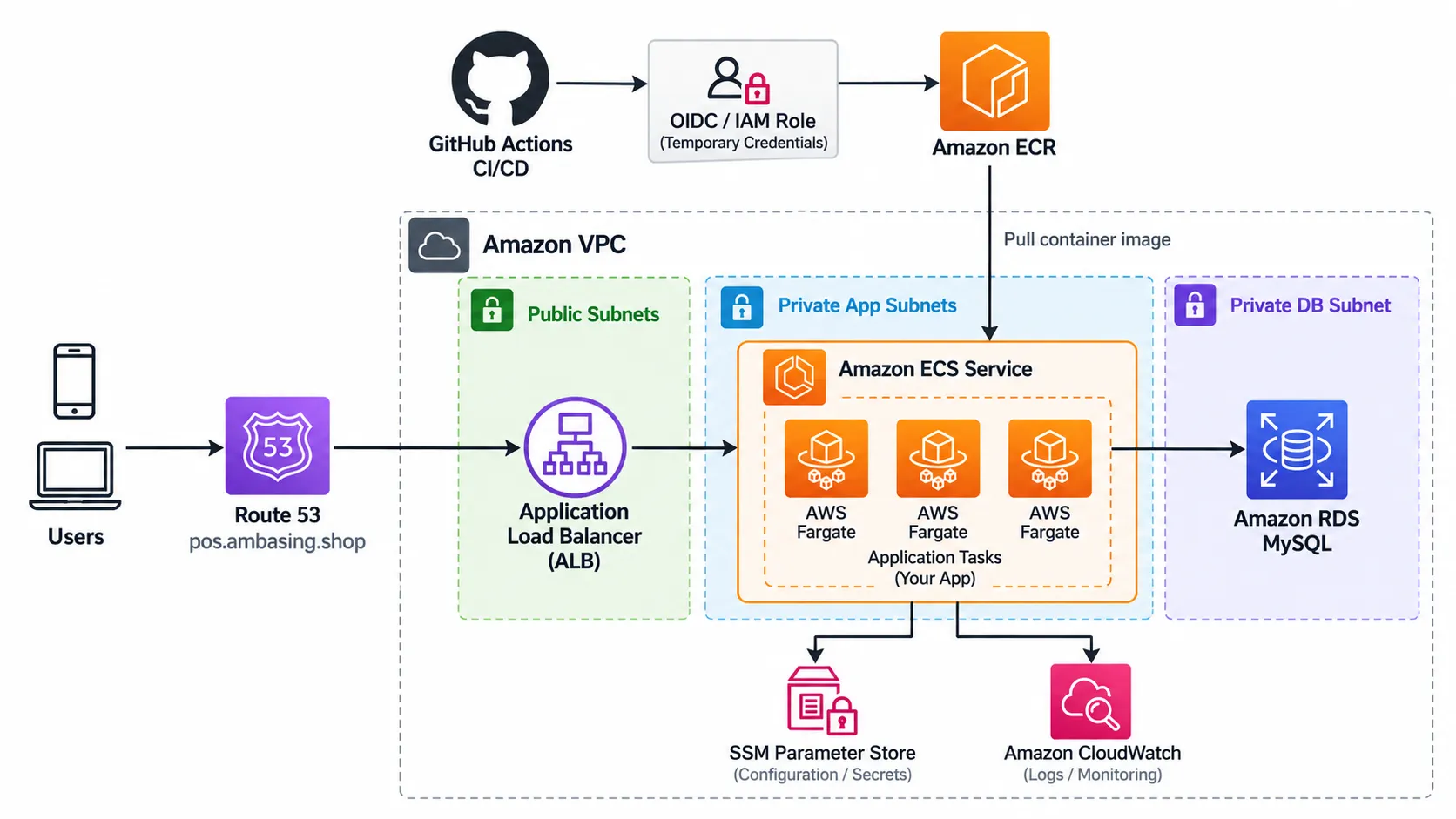
The application operates on a highly available, load-balanced AWS architecture:
- Traffic Routing: AWS Route 53 directs traffic to an Application Load Balancer (ALB).
- Compute: The ALB distributes incoming requests across multiple identical AWS Fargate containers running within an Amazon ECS cluster in a custom VPC.
- Backend Services: The containers read and write data to an Amazon RDS (MySQL) database, retrieve secure environment variables from AWS Systems Manager (Parameter Store), and stream application logs directly to Amazon CloudWatch.
- CI/CD: Code pushed to GitHub automatically triggers a GitHub Actions pipeline that builds the Docker image, pushes it to Amazon ECR, and updates the ECS service.
Debugging & Troubleshooting
Transitioning the application from a local development environment to a strict, production-grade Linux infrastructure on AWS required resolving several environment-specific bugs and performance bottlenecks.
1. Secure Production Logging
When the application encountered 500 Server Errors in production, enabling APP_DEBUG=true was not a viable security option. Instead, I updated the ECS task definition to inject LOG_CHANNEL=stderr. This securely routed Laravel’s internal stack traces out of the isolated container file system and directly into AWS CloudWatch, allowing for real-time error monitoring without exposing sensitive data to the public internet.
2. Linux Case-Sensitivity & PSR-4 Compliance
I resolved a recurring View [admin.laporan.index] not found error that only occurred on the AWS deployment. While local development environments (Windows/Mac) are historically case-insensitive, the strict Linux environment on AWS Fargate required precise path matching. I audited the repository to enforce strict PSR-4 compliance and corrected mismatched folder casing between the Git repository and the Controller namespace requests.
3. Database Schema Optimization
During the implementation of the product creation workflow, the application triggered an Unknown column 'harga' SQL exception. I identified that the Controller was blindly attempting to insert a single price into the primary produks table. I refactored the backend logic to separate the data insertion, saving core product data to the main table and properly routing the multi-tier pricing (Kemasan Besar/Sedang/Kecil) to a related ProdukKemasanModel table, preventing database crashes.
4. Container Build Failures
I troubleshot a deployment failure where Composer returned an exit code 1 during the post-autoload dump in the GitHub Actions pipeline. I traced the issue back to a missing URL facade import and a strict syntax parsing error (a missing semicolon) in the AppServiceProvider that crashed the PHP compilation before the container could boot.
5. Authentication Middleware Testing
When configuring automated testing, the default ExampleTest failed by returning a 302 redirect instead of the expected 200 OK status. I updated the test assertions to correctly validate the application’s security posture, explicitly verifying that unauthenticated users are intercepted by the middleware and redirected to the login route.